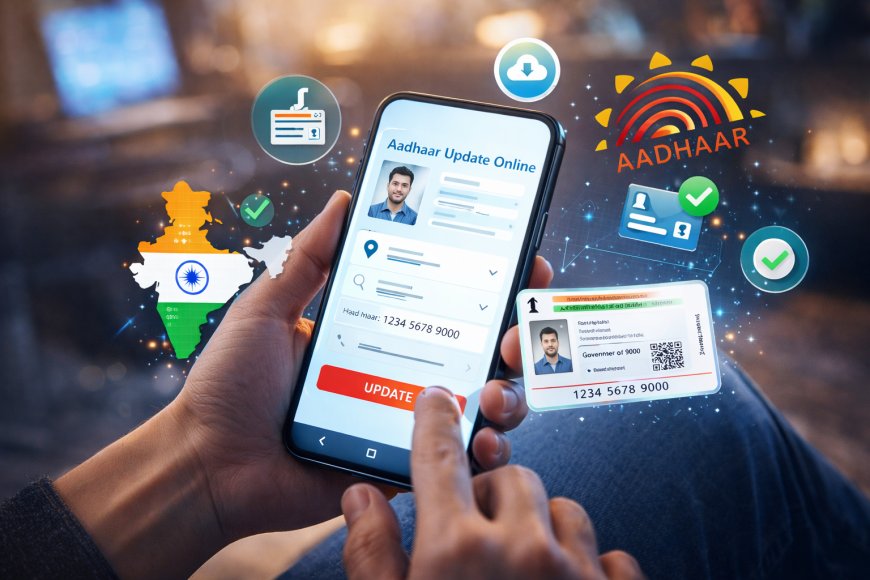
Aadhaar Card Update Online from Mobile
Learn how to update Aadhaar Card online from mobile in 2026. Step-by-step guide to change address, mobile number, name, DOB, photo, and download updated Aadhaar easily.
 shruti
Aadhaar Card Update Online from Mobile
Aadhaar Card has become one of the most important identity documents in India. It is required for banking, SIM cards, PAN linking, government schemes, income tax filing, passport verification, and many daily services.
If your Aadhaar details are incorrect or outdated, you may face problems during verification. The good news is that in 2026, many Aadhaar services can be accessed online directly from your mobile phone.
Whether you want to update your address, check status, download e-Aadhaar, or book an appointment, this guide explains everything in simple language.
What Can You Update in Aadhaar Online from Mobile?
Using your smartphone, you can access several Aadhaar services online.
Available Online Services:
- Address Update
- Aadhaar Download PDF
- Aadhaar PVC Card Order
- Check Update Status
- Book Appointment
- Verify Aadhaar Number
- Lock / Unlock Biometrics
- Retrieve Lost UID / EID
Can Mobile Number Be Updated Online?
Currently, mobile number update generally requires biometric verification at Aadhaar Seva Kendra or authorized center.
This is for security reasons. If your mobile number is not linked, visit the nearest Aadhaar center.
How to Update Aadhaar Address Online from Mobile
If you changed your house, city, rented new flat, or shifted location, you can update your Aadhaar address online.
Step-by-Step Process:
Step 1:
Open official Aadhaar self-service portal.
Step 2:
Login using:
- Aadhaar Number
- Captcha
- OTP on registered mobile number
Step 3:
Select Update Address
Step 4:
Enter new address carefully.
Step 5:
Upload valid proof document.
Examples:
- Electricity Bill
- Bank Statement
- Passport
- Rent Agreement
- Gas Bill
Step 6:
Pay applicable fee online.
Step 7:
Submit request and save SRN number.
Documents Required for Aadhaar Update
For Address Change:
- Electricity Bill
- Water Bill
- Bank Passbook
- Passport
- Driving License
- Registered Rent Agreement
For Name Change:
- PAN Card
- Passport
- Government ID
For Date of Birth:
- Birth Certificate
- Passport
- SSLC Certificate
How to Download Aadhaar Card on Mobile
You can download updated Aadhaar PDF instantly.
Steps:
- Visit Aadhaar portal
- Select Download Aadhaar
- Enter Aadhaar / VID / Enrollment ID
- Verify OTP
- Download PDF
Password Format:
First 4 letters of your name in CAPITAL + Birth year
Example:
ROBI1998
Aadhaar PVC Card Order from Mobile
PVC Aadhaar is a plastic card version.
Benefits:
- Easy to carry
- Durable
- QR Code enabled
- Water resistant
You can order online by paying small fee.
How to Check Aadhaar Update Status
After submitting correction request:
- Open Aadhaar status page
- Enter SRN / URN number
- Check approval progress
Aadhaar Update Fees in 2026
Approximate charges may apply depending on service.
Common Fees:
- Demographic update
- Biometric update
- PVC order
Check latest fee on official portal before payment.
Common Aadhaar Problems & Solutions
OTP Not Coming
- Check network
- Wait few minutes
- Ensure linked mobile active
Wrong Address Rejected
Upload clear valid document.
Mobile Number Not Linked
Visit Aadhaar center.
Name Spelling Error
Use same spelling as PAN / bank records.
Important Tips Before Updating
- Use exact legal name
- Match DOB with documents
- Upload readable files
- Save acknowledgment number
- Keep registered mobile nearby
Benefits of Updated Aadhaar
Updated Aadhaar helps in:
- Bank KYC approval
- PAN linking
- SIM activation
- Government subsidy
- Passport process
- Loan verification
FAQ
Can I update Aadhaar from mobile?
Yes, many services like address update, download Aadhaar, status check are available online.
Can I change mobile number online?
Usually biometric visit required.
How many days for Aadhaar update?
Usually few days depending on request type.
Is Aadhaar update free?
Some services may include small fee.